



Paiement dans les 24 heures suivant la réception
Étiquette prépayée de Postes Canada gratuite
Paiements par Virement Interac ou PayPal

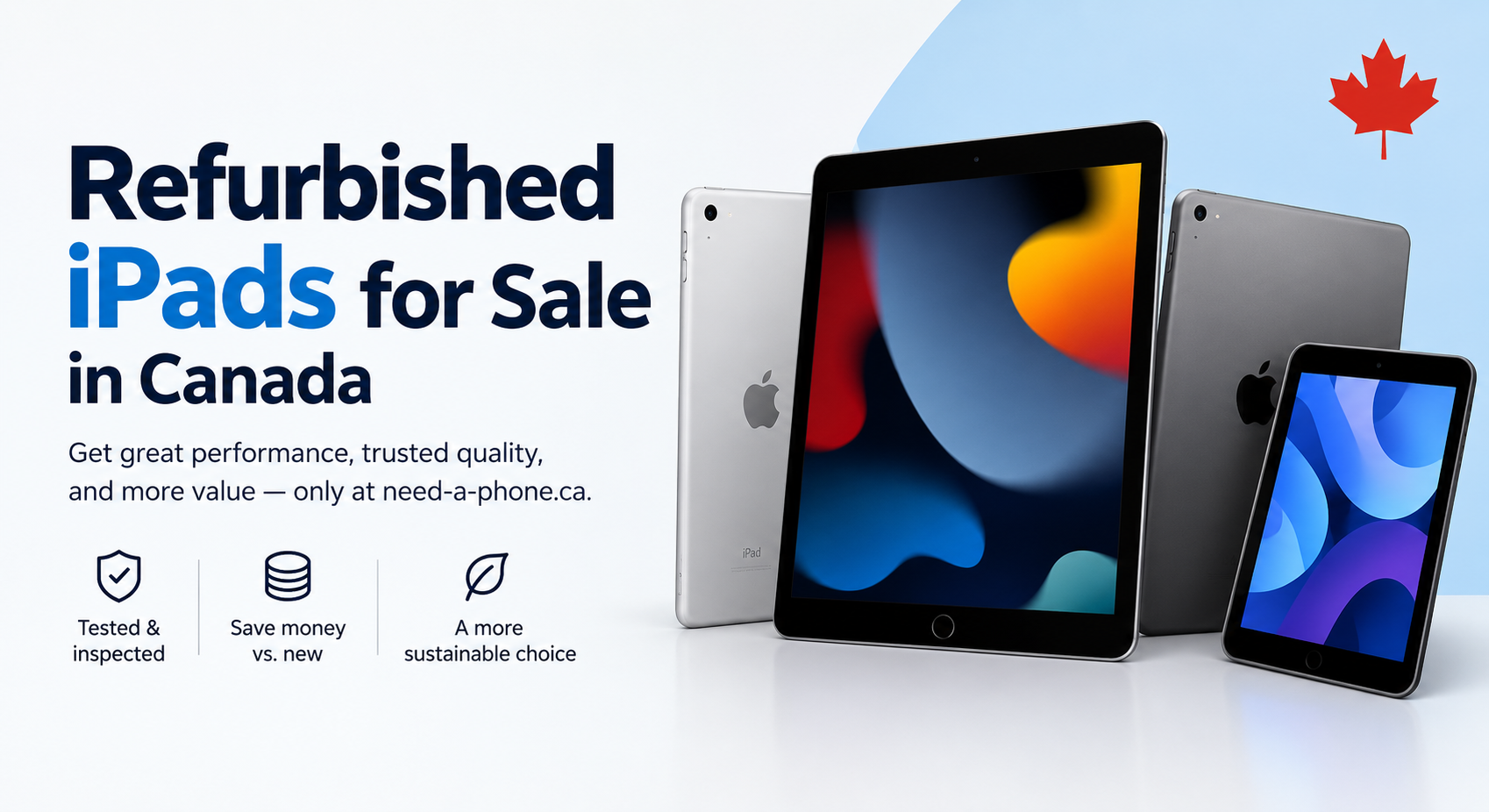
Refurbished iPads for Sale in Canada

Looking for refurbished iPads for sale in Canada? A refurbished iPad can be a practical way to get a capable tablet at a lower price than buying a brand-new device. Whether you need an iPad for school, work, entertainment, travel, or everyday browsing, choosing a refurbished model can help you get the features you need while staying within your budget.

At Trend In, you can find refurbished iPads in a range of models, storage capacities, and conditions. Since each device may have different specifications and cosmetic characteristics, it is important to look beyond the price and compare the details that matter most to you.

Why Buy a Refurbished iPad in Canada?

One of the main reasons Canadians consider refurbished iPads is value. iPads are designed to provide a smooth experience across a wide range of everyday tasks, but newer models can come with a higher price tag. Choosing a refurbished model can give you access to useful features without requiring the same investment as a new device.

A refurbished iPad can be suitable for browsing the web, watching videos, reading, checking email, attending online classes, taking notes, using productivity apps, and staying connected while travelling.

For buyers who do not need the newest generation, an earlier iPad model may provide everything necessary for their daily routine. The key is matching the device’s specifications with how you plan to use it.

Choose a Refurbished iPad Based on Your Needs

The right refurbished iPad depends on what you expect from your tablet. Different users have different priorities, so there is no single configuration that works for everyone.

For Students

Students may use an iPad for reading course materials, taking notes, researching online, attending virtual classes, and managing assignments. A lightweight model with sufficient storage and dependable battery performance can be convenient for carrying between home, school, and other locations.

For Work and Productivity

If you plan to use an iPad for work, consider the processor, display size, storage capacity, and compatibility with the apps you use regularly. A larger screen can be helpful when reviewing documents or working across multiple applications.

For Entertainment

For streaming, browsing, reading, and casual gaming, display quality and battery performance can be particularly important. Depending on your preferences, a larger display may provide a more comfortable viewing experience, while a smaller model can be easier to carry.

For Everyday Use

If your main activities include web browsing, email, video calls, social media, and light productivity, you may not need a high-end iPad. An appropriately priced refurbished model can handle everyday tasks without requiring you to pay for specifications you may not use.

What to Check When Buying a Refurbished iPad

When comparing refurbished iPads for sale in Canada, take time to review the device specifications and condition. A lower price does not necessarily mean better value if the device does not meet your requirements.

iPad Model and Generation

Start by checking the exact iPad model and generation. Apple has released multiple iPad lines over the years, including standard iPad models, iPad Air, iPad mini, and iPad Pro.

Different generations can have significant differences in processing performance, display technology, cameras, connectivity, and software compatibility. Knowing the exact model makes it easier to compare your options.

Storage Capacity

Storage is another important factor. Think about what you normally store on your tablet.

If you mainly stream content, browse online, use cloud storage, and install only a few apps, a lower storage capacity may be sufficient. If you plan to download videos, store photos, install larger apps, or keep documents locally, you may want more storage.

Choosing the appropriate capacity can help you avoid running out of space as your usage grows.

Battery Performance

Battery condition is particularly important when buying a refurbished iPad because batteries naturally lose capacity over time.

A refurbished iPad with good battery performance can be more convenient for studying, travelling, working, or watching content away from a power outlet. If battery information is provided in the product listing, review it before making your decision.

Display Condition

The display is one of the most important parts of an iPad. When purchasing a refurbished device, check the listed condition carefully.

Depending on the condition grade, a refurbished iPad may show minor cosmetic signs of previous use. Look for information about scratches, marks, dents, or other visible wear. The display should also be suitable for your intended use.

Physical Condition

Refurbished devices can vary in cosmetic condition. Some may have very minor signs of previous use, while others may show more noticeable marks.

Always review the condition description before purchasing so you have a clear understanding of what to expect. Cosmetic wear does not necessarily affect functionality, but it can be important if appearance is a priority for you.

Wi-Fi vs. Cellular iPads

Another consideration when buying a refurbished iPad is connectivity.

A Wi-Fi iPad is designed to connect to wireless networks and can be suitable for use at home, school, work, or other locations where Wi-Fi is available.

A cellular iPad can provide additional connectivity options, depending on the specific model and supported network technology. This can be useful for people who frequently travel or want internet access when Wi-Fi is not available.

Before buying a cellular model, check its supported connectivity specifications and make sure they meet your requirements.

Refurbished vs. Used iPads

The terms refurbished and used can sometimes be confusing. Both refer to devices that have previously been owned or used, but their selling condition may differ.

A used iPad is generally resold after previous ownership, and its condition can vary depending on how the device was used and maintained.

A refurbished iPad may have been inspected, tested, cleaned, or prepared for resale before being offered to another customer. However, refurbishment processes can differ between sellers, so buyers should always review the product description and condition information.

Rather than focusing only on whether an iPad is described as refurbished or used, consider the actual condition, specifications, battery performance, and available warranty or return information.

How Much Should You Spend on a Refurbished iPad?

There is no single price that applies to every refurbished iPad. The cost can vary based on the model, generation, storage capacity, connectivity, condition, and overall demand.

Instead of choosing an iPad based solely on the lowest price, consider the total value of the device. An inexpensive model may not be the right choice if it has insufficient storage or does not support the features you need.

On the other hand, you may not need to spend more for specifications that will not make a noticeable difference in your everyday use.

Setting a budget first and then comparing models within that range can make the buying process easier.

Where to Sell Refurbished iPads in Canada

If you are searching for refurbished iPads for sale in Canada, Trend In provides refurbished and used devices for Canadian shoppers looking for practical alternatives to buying new.

When comparing available iPads, pay attention to the model, storage capacity, connectivity, physical condition, battery performance, and pricing. Reading the product information carefully can help you select a device that fits both your requirements and budget.

It is also worth considering what you expect from the iPad over the next few years. Choosing a model that meets your current needs while offering enough capacity and performance for future use can provide better long-term value.

Find the Right Refurbished iPad for You

Buying a refurbished iPad does not have to mean compromising on everyday functionality. The right device can provide a useful combination of performance, portability, and affordability.

Before making a purchase, compare the iPad model, generation, storage, battery condition, display, physical condition, connectivity, and price. Think about how you will use the device rather than simply choosing the newest or cheapest option.

If you’re looking for refurbished iPads for sale in Canada, Trend In offers options to help you find a tablet that fits your needs and budget.
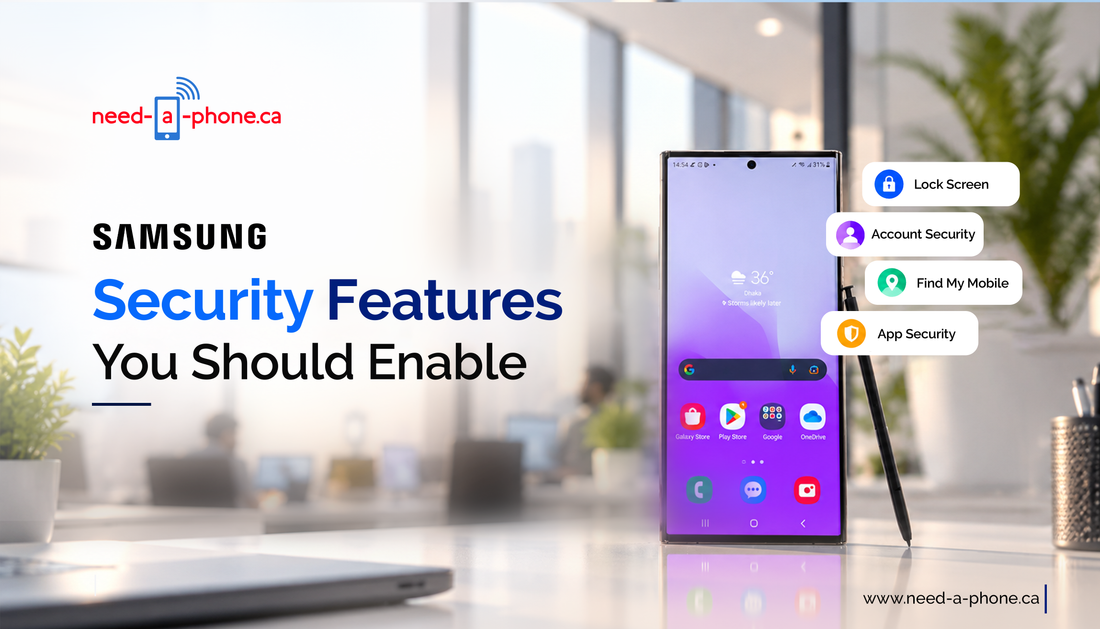
Samsung Security Features You Should Enable

Samsung Security Features: How Secure Is a Galaxy Phone?

When choosing a smartphone, security is about more than having a screen lock. A modern phone can hold personal photos, messages, passwords, payment information, work files, and other sensitive data. That makes built-in security features an important factor when choosing the right device for you.

Galaxy phones use multiple layers of protection, from hardware-level security to privacy controls and software safeguards. Depending on the model and software version, users may have access to features such as Knox security, Knox Vault, Secure Folder, biometric authentication, Auto Blocker, theft protection, and regular security updates.

For anyone considering a used or refurbished Galaxy phone, understanding these features can also help determine whether an older model still provides an appropriate level of protection.

What Security Features Does a Galaxy Phone Have?

Security on a Galaxy phone depends on multiple features. Instead, several technologies work together to protect the device, its software, and the information stored on it.

Knox Security

Knox is the foundation of the security architecture found across Galaxy devices. It uses protection at different levels, beginning with the hardware and continuing through the operating system and applications.

One important part of this approach is secure boot. During startup, the phone checks the software to help prevent unauthorized or modified software from being loaded. Other protections monitor the system while it is running and help protect sensitive information.

This layered approach is particularly useful because smartphone security threats can target different parts of a device. For example, protecting only the apps would not provide the same level of protection as securing the device from the hardware level upward.

Knox Vault and Hardware-Based Protection

Some Galaxy models include Knox Vault, a hardware-based security system designed to isolate highly sensitive information from the main processor and memory.

It can protect information such as passwords, PINs, biometric information, and cryptographic keys inside a separate security environment. Because the protected information is isolated from the main operating system, it can provide an additional layer of protection even when the device’s primary software is under attack.

Which Samsung Galaxy Models Support Knox Vault?

Knox Vault is available on selected Galaxy devices, mainly newer flagship and premium models. Supported models include the Galaxy S24 series, Galaxy S25 series, Galaxy S23 FE, Galaxy Z Fold and Z Flip models from supported generations, and selected newer Galaxy A-series devices. Availability can vary by model and region, so it is best to check the specific device before buying.

Secure Folder for Private Files and Apps

Secure Folder gives users a separate protected space for private apps, photos, videos, documents, and other information.

Private folders can add an extra layer of privacy by allowing users to secure sensitive content with a passcode or biometric authentication. They can also be kept out of view on the phone’s main app screen. This feature may be helpful for people who share their device with family members, lend it to others for short periods, or want to keep personal files separate from the content they access every day.

Not every older model supports every version of Secure Folder, so availability can depend on the device and software version.

Biometric Authentication

Fingerprint and facial recognition can make everyday device security more convenient, so users do not have to enter a password each time they unlock their phone.

Biometric authentication can also be used for certain protected apps and services. A strong screen-lock PIN or password remains important because biometric systems and available authentication methods can vary by model.

App and Malware Protection

A smartphone can become vulnerable when a malicious application is installed. Built-in security measures help reduce this risk by checking applications and restricting certain potentially dangerous activities.

Users should still be careful about what they install, which permissions they grant, and the source of the applications they install.

Device security works best when built-in protections are combined with sensible user habits.

Auto Blocker and Suspicious Activity

Auto Blocker is designed to prevent several common security risks. On supported devices, it can restrict applications from unauthorized sources and block certain commands delivered through a USB connection.

Additional protection can also be enabled through Maximum restrictions on supported software versions. These controls can help reduce the chance of accidentally installing malicious software or allowing unwanted system-level activity.

Because software capabilities can change with updates, the exact options available may differ between Galaxy models.

Privacy and App Permissions

Security and privacy are closely connected. A phone may be technically secure while still giving applications more access to personal information than necessary.

Galaxy devices provide settings that allow users to review permissions such as access to the camera, microphone, location, contacts, and other information.

Checking these permissions periodically is a simple way to improve privacy. If an application does not need a particular permission to perform its main function, there may be little reason to leave that permission enabled.

Password and Account Security

Strong account protection is another important part of smartphone security. Users should protect their device account with a strong password and, where available, additional authentication.

Password-management features can also reduce the need to reuse passwords across different services.

Find and Lost-Phone Protection

Losing a phone creates two separate problems: replacing the device and protecting the information stored on it.

Supported Galaxy devices include tools that can help users locate, lock, or manage a lost device. These features can be especially valuable because a modern smartphone may contain much more sensitive information than the physical device itself.

For this reason, users should configure their account and device-finding options before the phone is lost rather than waiting until something goes wrong.

Security Updates and Software Support

Security features are only useful when they continue to receive updates that address newly discovered vulnerabilities.

The length of security support varies by model and release generation. Newer Galaxy models generally receive longer software support than older devices, making the security-update period an important consideration when buying a used phone.

Security Features on Older Galaxy Phones

An older phone is not automatically an insecure phone. However, the device’s age matters because security support, operating system compatibility, and available features can change over time.

Someone shopping for a refurbished Galaxy S20, S21, S22 ou S23 series device should therefore look beyond specifications such as camera quality and storage. The remaining security-update period is equally important.

A newer model may cost more initially but provide a longer period of supported security updates.

Which Galaxy Phones Offer Good Security?

The current selection of refurbished and used Galaxy phones available through need-a-phone.ca includes models from several generations, including the Galaxy S23 Ultra, Galaxy S24, Galaxy S24 FE, Galaxy S24 Ultra, Galaxy S25 Ultra, Galaxy A16, Galaxy A53, Galaxie A54, and several Z Flip models.

The best choice depends on the balance between price, age, hardware, software support, and the security features available on the specific model.

For buyers who prioritize longer software support and newer security capabilities, a newer generation can make more sense. For shoppers focused on value, an older model with a reasonable remaining support period may still be a practical option.

What to Check Before Buying a Used Phone

Security should be part of the inspection process when buying a pre-owned device.

Check the Security Update Status

Look at the model’s expected security-update period. A phone that is still receiving security updates can be a better long-term choice than an older model that is approaching the end of support.

Check the Device Lock Status

Make sure the device can be properly reset and activated by its new owner. A used phone should not remain linked to the previous owner’s account.

Check the Physical Condition

Damage to the display, frame, charging port, or other components can affect usability and, in some circumstances, device reliability. A professionally inspected device can reduce some of the uncertainty associated with buying used.

Check Battery Health

Battery condition is especially relevant when buying an older phone. A device with good security features is less useful if its battery can no longer provide reliable everyday performance.

Conclusion

A secure smartphone is built around multiple layers of protection rather than one individual feature. Hardware security, protected storage, app controls, privacy settings, authentication, theft protection, and ongoing security updates all contribute to the overall security of Galaxy devices.

When buying a used or refurbished phone, the model’s age and remaining security support should be considered alongside its price, battery condition, storage, camera, and overall physical condition.

The right choice is not necessarily the newest or most expensive model. It is the device that offers the features, and security support that make sense for your needs and budget.

Frequently Asked Questions About Galaxy Phone Security

Is a Galaxy phone secure?

Yes. Galaxy phones use multiple layers of security, including hardware protection, secure boot, biometric authentication, app security, privacy controls, and security updates. The exact features and level of protection depend on the specific model and software version.

What is Knox security?

Knox is a multi-layer security architecture built into Galaxy devices. It helps protect the phone from the hardware level through the operating system and applications, including protections designed to detect unauthorized changes to the device.

What is Knox Vault used for?

Knox Vault is designed to provide an additional hardware-based security layer for sensitive information. On supported models, it helps isolate information such as PINs, passwords, biometric data, and cryptographic keys from the main system.

Is Secure Folder safe for private photos and files?

Secure Folder provides a protected space for storing private photos, videos, documents, and apps. It can be secured with a PIN, password, or supported biometric authentication. Availability and features may vary by model and software version.

Can a Galaxy phone protect against malware?

Galaxy devices include security measures that can help detect or prevent potentially harmful applications and activities. However, no smartphone is completely immune to malware. Installing apps carefully and keeping the device updated remain important.

What does Auto Blocker do?

On supported devices, Auto Blocker can help prevent certain unauthorized app installations and block some potentially risky commands received through USB connections. The available settings can vary depending on the device and software version.

Does biometric authentication make a phone more secure?

Fingerprint and facial authentication can add convenient protection against unauthorized access. For stronger overall security, users should also use a strong PIN or password and keep their device’s software up to date.

How does security support affect an older Galaxy phone?

The remaining security-update period is an important consideration when buying an older device. A phone can still have useful security features after several years, but its long-term protection may be limited once security updates end.

What should I check before buying a used Galaxy phone?

Check the device’s security-update status, account and activation status, physical condition, battery health, and model-specific security features. It is also important to make sure the device has not been reported lost or stolen.

Are refurbished Galaxy phones secure?

A refurbished phone can be a secure choice when it has been properly tested, is free from account locks, and continues to receive security updates. Buyers should evaluate the specific model and its remaining software support rather than judging security solely by whether the phone is new or refurbished.

Google Pixel 8 vs Pixel 7: Smart Upgrade or Unnecessary Spend?

If you’ve been shopping for a refurbished Google Pixel in Canada, you’ve probably noticed something interesting.

The Google Pixel 8 and Google Pixel 7 look almost identical.

✅ Same premium feel
✅ Same clean Android experience
✅ Same excellent camera reputation

So why spend more on the Pixel 8?

Here’s the short answer:

If you’re planning to keep your phone for several years, the Google Pixel 8 is absolutely worth it. Its longer software support, brighter display, and exclusive AI features make it a smarter long-term investment.

But if you’re looking for the best value per dollar today, the Google Pixel 7 remains one of the best refurbished smartphones you can buy.

Let’s break it down.

Pixel 8 vs. Pixel 7: Quick Comparison

Not every “new” phone is meaningfully better. So let’s cut through the spec sheet and look at what you’ll actually feel and use every day.

Fonctionnalité

Google Pixel 7

Google Pixel 8

Real-World Impact

Processor

Tensor G2

Tensor G3

Faster AI processing; noticeably snappier on-device tasks

Display Refresh Rate

90Hz

120Hz

Smoother scrolling, more fluid animations

Peak Display Brightness

1,400 nits

2,000 nits (Actua Display)

Far more readable in direct Canadian summer sunlight

RAM

8GB

8GB

No change

Rear Camera (Main)

50MP f/1.85

50MP f/1.68

A wider aperture = better low-light shots indoors

Front Camera

10.8MP

10.5MP

Virtually identical; both excellent for video calls

Battery Capacity

4,355 mAh

4,575 mAh

Modest gain; both last a full day with moderate use

Temperature Sensor

❌ No

✅ Yes

Niche but genuinely useful; can read body/object temperatures

Android Updates Until

~2024 (OS) / 2027 (Security)

2030 (OS + Security)

This is the biggest difference for refurbished buyers

Storage Options

128GB / 256GB

128GB / 256GB

Same storage choices

5G Support

✅ Yes

✅ Yes

Both work on Bell, Rogers, Telus, and Freedom Mobile 5G

The Software Longevity Factor

This is the part most comparison articles gloss over. Don’t make that mistake.

When you’re buying a used or refurbished phone, you’re not just buying the hardware sitting in your hand. You’re buying the years of useful life remaining on that device.

Google Pixel 7: The Clock Is Ticking

The Pixel 7 launched in October 2022. Google committed to three years of OS updates and five years of security patches for that device. That means:

  • OS updates ended: October 2025
  • Security patches end: October 2027

If you buy a Pixel 7 today in mid-2026, you’re already on a phone that’s stopped receiving new Android features. Worse, it’ll stop receiving security fixes in just over a year. On a phone you may plan to use for 2–3 more years, that’s a significant gap.

Outdated security patches don’t just mean missing features — they mean known vulnerabilities go unpatched. For mobile banking, e-transfers, and storing your SIN or health cards digitally, that’s a real risk.

Google Pixel 8: Seven Years of Peace of Mind

The Pixel 8 launched in October 2023. Google made a landmark commitment: seven years of OS updates and security patches, guaranteed until October 2030.

That means a Pixel 8 you buy today in 2026 still has four full years of guaranteed support left. That’s genuinely unusual in the Android world — and it’s one of the clearest advantages any phone can have at this price point.

Four years of updates mean the following:

  • Android 18, 19, 20, and 21 — all coming to your phone
  • Every security patch, keeping your financial apps and personal data protected
  • New AI features as Google rolls them out to Pixel devices
  • A longer “useful life” window, which means better long-term value per dollar spent

In a market where mid-range Android phones often get just 2–3 years of support, the Pixel 8 in 2026 is still in the prime of its supported life. The Pixel 7 is entering its final chapter.

AI & Camera: Are the Pixel 8 Exclusives Worth It?

Google locks some of its most impressive software features to the Pixel 8 and newer. Here’s what you’d actually gain—and whether it matters for how you use your phone.

Best Take

Struggling with group photos where someone always blinks or looks away? Best Take lets you swap faces from multiple shots to build a single photo where everyone looks their best. It works silently in the background; you just pick the best expression for each person. Hugely useful for families, and it’s a Pixel 8 exclusive.

Audio Magic Eraser

Record a video at a busy spot, a Leafs game, a Stampede parade, or a Rideau Canal skate, and wind or crowd noise often drowns out everything. Audio Magic Eraser uses AI to identify and reduce background sound, isolating voices or music. It’s not magic, but it works well enough that you’ll actually use it. Not available on the Pixel 7.

Magic Editor

Magic Editor takes Google’s photo editing tools to a new level. Move objects around in your photo, erase unwanted elements, and change backgrounds, all on-device without needing a desktop app or a monthly subscription. Think of it as a lite version of Photoshop that lives in your camera roll. Pixel 8 only.

Night Sight Video (Enhanced)

The Pixel 7 has good Night Sight for photos. But the Pixel 8’s Tensor G3 chip enables significantly improved low-light video, not just stills. If you ever record concerts, birthday parties, or evening events, this is a genuine upgrade you’ll appreciate.

Verdict on AI Features

If you mostly call, text, scroll, and take occasional photos, the Pixel 7 handles all of that just fine. But if you’re an active phone photographer, share a lot of videos, or simply want a device that keeps getting smarter over time, the Pixel 8’s AI toolkit is genuinely compelling, and it’s only going to expand with future updates.

Display & Design: The Upgrade You See Every Single Second

You unlock your phone dozens of times a day. The display is the first thing you interact with — and this is one area where the Pixel 8 makes a tangible, daily difference.

The 120Hz vs. 90Hz Gap – Does It Actually Matter?

Short answer: yes, more than most people expect.

The Pixel 7’s 90Hz OLED display is genuinely good. The text is sharp, the colors are accurate, and it holds its own against anything in its price range. But the Pixel 8’s 120Hz Actua display has two real advantages:

  1. Smoothness you feel, not just see. Scrolling through Instagram, swiping between apps, or reading long articles — everything feels more liquid and responsive at 120Hz. Once you’ve used it, going back feels slightly sticky.
  2. Outdoor visibility is dramatically better. The Pixel 8 peaks at 2,000 nits of brightness versus the Pixel 7’s 1,400 nits. In Canada, that matters during summer months when you’re checking Google Maps in direct sunlight or reading a text outside. The Pixel 7 gets bright enough; the Pixel 8 gets genuinely comfortable.

Design: Subtle Changes, Same Premium Feel

Both phones are compact, glass-and-aluminum builds. They’re comfortable to hold and don’t feel cheap.

The Pixel 8 is very slightly smaller and lighter than the Pixel 7—a few millimeters narrower with a more rounded frame. It’s a refinement, not a reinvention. If you’ve handled a Pixel 7, you’ll feel right at home with an 8.

Neither phone has a headphone jack. USB-C is your only wired port on both. If that’s a dealbreaker, account for a Bluetooth audio budget.

Performance & Everyday Speed: Is Tensor G3 Worth It?

The Pixel 8 runs on Google’s Tensor G3 chip, while the Pixel 7 uses the Tensor G2. Both are Google’s in-house processors—designed specifically to accelerate AI and machine learning tasks, not raw benchmark numbers.

What You’ll Actually Notice

On the Pixel 7: Day-to-day tasks — Chrome, Gmail, YouTube, Spotify, Maps — all run smoothly. No complaints. The Tensor G2 handles casual gaming and social media without breaking a sweat.

On the Pixel 8: The Tensor G3 delivers a noticeable step up in two specific areas:

  • On-device AI tasks—voice transcription, photo processing, and Gemini Nano—all run faster and more accurately. The call screen feels snappier. Live Translate responds more quickly.
  • Sustained performance under load — the G3 runs cooler and maintains peak speeds longer. If you edit videos, use AI tools frequently, or run demanding apps, you’ll feel the difference over time.

For a typical Canadian user who browses, streams, and uses social media? The Pixel 7’s G2 is plenty capable. But if you push your phone hard — especially with AI features — the G3 has a genuine edge.

RAM and Storage: No Difference Here

Both phones ship with 8GB of RAM and the same 128GB / 256GB storage options. Neither supports microSD expansion. Pick your storage tier carefully — you can’t add more later. If you shoot a lot of videos or download music offline, go for 256GB on whichever model you choose.

Battery & Charging: Real-World Endurance

Battery life is one of those specs where the numbers only tell part of the story. Your daily routine matters just as much.

The Pixel 7 packs a 4,355 mAh battery, while the Pixel 8 bumps that up slightly to 4,575 mAh.

In real-world use, both phones comfortably last a full day for most people. Whether you’re texting, browsing, streaming music, scrolling social media, or taking photos, you shouldn’t be reaching for a charger before bedtime.

The Pixel 8 does have a small advantage. If you’re a heavier user—think hours of navigation, video streaming, gaming, and photography—you’ll appreciate the extra battery headroom by the end of the day.

When it comes to charging, the experience is nearly identical.

  • Neither phone is designed for ultra-fast charging.
  • A 30-minute charge typically gets you to around 50%, depending on battery level and charger.
  • Both support wireless charging and Battery Share (reverse wireless charging), letting you top up compatible earbuds or another phone in a pinch.

Call Quality, Audio & Connectivity

Call Quality

Both the Pixel 7 and Pixel 8 deliver excellent call quality — clear voice, strong noise cancellation, and reliable reception on all major Canadian networks. Google’s Clear Calling feature (which reduces background noise on the other end in real time) is available on both devices.

The Pixel 8 adds improved microphone processing via the Tensor G3, which makes a subtle but real difference on windy days or in noisy environments. In quiet rooms, you won’t be able to tell them apart.

5G and Canadian Network Compatibility

Both phones support Sub-6 GHz 5G, which covers the vast majority of Canadian 5G coverage from Bell, Rogers, and Telus. Neither supports mmWave 5G, but mmWave coverage in Canada is extremely limited and mostly irrelevant for everyday consumers.

Both phones are fully unlocked when purchased through need-a-phone.ca, meaning you can pop in any Canadian SIM from day one. Switch carriers anytime without fees or unlock codes.

Bluetooth & Wi-Fi

Both phones offer fast, reliable wireless connectivity, but the Pixel 8 is better equipped for the future.

The Pixel 7 supports Bluetooth 5.2 and Wi-Fi 6E, which are more than capable for everyday use. Streaming, video calls, wireless earbuds, and fast home internet all work flawlessly.

The Pixel 8 steps things up with Bluetooth 5.3 and Wi-Fi 7. While you won’t notice a huge difference on older routers, Wi-Fi 7 delivers faster speeds, lower latency, and more stable connections if you have a compatible network at home or work.

Another exclusive feature is Ultra-Wideband (UWB).

UWB enables more precise device location and supports features like Google’s Find My Device network. It’s a small upgrade today, but one that’s becoming more useful as Google’s ecosystem continues to expand.

The Canadian Price-Value Equation

Let’s talk money—because this is ultimately a buying guide for value-conscious shoppers.

What You’re Actually Paying For

In the Canadian refurbished market as of mid-2026, you can typically expect the following:

  • Certified refurbished Pixel 7: ~$270–$370 CAD
  • Certified refurbished Pixel 8: ~$350–$460 CAD

That’s roughly an $80–$100 gap between equivalent grades. Here’s the critical question: what does that $80–$100 actually buy you?

It buys you:

  • 3 extra years of guaranteed OS + security updates (2027 vs. 2030)
  • A 120Hz display instead of 90Hz
  • 2,000 nits of outdoor brightness instead of 1,400
  • Tensor G3 vs. G2 — faster AI, cooler sustained performance
  • Best Take, Audio Magic Eraser, and Magic Editor camera tools
  • Wi-Fi 7 instead of Wi-Fi 6E
  • A phone still in the prime of its supported life

When you spread that $80–$100 over 3-4 years of use, it works out to roughly $2–$2.75 extra per month. For what you get in return, that’s an exceptionally clear value proposition.

Which Pixel Should You Buy?

Not everyone needs the same phone. Here’s the honest breakdown.

Buy the Pixel 7 if…

  • Budget is your top priority and you’re finding the Pixel 7 at a significantly lower price point
  • You plan to upgrade again within 12–18 months anyway
  • You primarily use your phone for calls, messaging, and light browsing—no heavy camera or AI use
  • You’re buying it as a secondary or backup device
  • You understand the support timeline and are comfortable with it ending in 2027

Upgrade to the Pixel 8 if…

  • You want to keep this phone for 2–4 years—which most value-conscious buyers do
  • You care about long-term security (banking apps, two-factor auth, sensitive data)
  • You take a lot of photos or videos, especially in low light or group settings
  • You want access to Google’s best AI camera tools (Best Take, Audio Magic Eraser, Magic Editor)
  • The price gap between a refurbished Pixel 7 and Pixel 8 is often just $50–$100 or less. At that margin, the Pixel 8 wins on value every time.
  • You’re coming from an older phone (Pixel 5 or earlier, or an older Samsung/iPhone) and want a meaningful, lasting upgrade

Where to Buy a Certified Pixel 8 or Pixel 7 in Canada

Here’s the honest problem with buying a used phone off Kijiji or Facebook Marketplace: you have no idea what you’re getting. A phone that’s been in a flood, flagged as stolen, or quietly damaged internally can look perfect in photos.

That’s exactly why need-a-phone.ca exists.

Every phone we sell goes through a 3-point human expert inspection — not a quick software scan, but a hands-on technical review covering the display, battery health, cameras, charging port, and internal components. If it doesn’t pass, it doesn’t ship.

Here’s what you get when you buy from us:

  • 90-Day Warranty: If something goes wrong within 90 days, we make it right. No fine print, no runaround.
  • Unlocked Devices: Every phone is fully unlocked and works with Bell, Rogers, Telus, Freedom Mobile, Koodo, Fido, and any other Canadian carrier or MVNO
  • Lifetime Blacklist Guarantee: Every device is thoroughly checked, including its IMEI, before it ships. If you experience any issue after your purchase, we’ll replace it. That’s a level of protection no Kijiji seller can guarantee.
  • Free Canada-Wide Shipping: Whether you’re in Toronto, Vancouver, Calgary, or Montreal, your phone ships free.

Skip the carrier contract. Skip the risk of Marketplace sellers. Get a premium, fully inspected Pixel—delivered to your door.

👉 Browse Certified Refurbished Pixel Phones at need-a-phone.ca

Où vendre des téléphones d'occasion au Canada ?

Si vous avez un téléphone ancien, inutilisé ou en bon état qui se trouve dans un tiroir, vous vous demandez peut-être :, Où puis-je vendre des téléphones d'occasion au Canada ? Vendre un appareil inutilisé peut être une façon simple de transformer un vieux téléphone en argent tout en conservant les appareils électroniques en circulation plus longtemps.

Avec need-a-phone.ca, vous pouvez commerce un téléphone usagé en ligne sans avoir à trouver un acheteur, à créer des annonces, à répondre à d’innombrables messages ou à organiser une rencontre. Le processus simplifie la vente : choisissez votre appareil, fournissez des renseignements sur son état, puis suivez les étapes pour recevoir votre offre et conclure la vente.

Que vous ayez récemment fait une mise à niveau de votre téléphone, que vous possédiez un appareil supplémentaire à la maison ou que vous n’ayez tout simplement plus besoin de votre appareil actuel, vendre en ligne peut être une option pratique pour les Canadiens.

Vendez des téléphones usagés en ligne au Canada grâce à un processus de reprise simple

Vendre un téléphone d’occasion au Canada n’a pas besoin d’être compliqué. La plupart des personnes veulent simplement être sûres d’obtenir un prix raisonnable, éviter un processus de vente sans tracas et recevoir leur paiement de manière sécurisée et rapide.

Le processus de remplacement proposé par need-a-phone.ca est basé sur ces priorités. Vous pouvez commencer par sélectionner votre appareil et fournir des informations sur son état. Le site web propose une large sélection d’appareils smartphones et tablettes, vous permettant ainsi de déterminer votre appareil avant de procéder au processus de remplacement.

Au lieu de consacrer du temps à créer une fiche sur un marché en ligne, vous pouvez commencer le processus directement en ligne. Cela peut être particulièrement utile si vous souhaitez vendre votre téléphone depuis chez vous et éviter l’incertitude qui accompagne souvent la vente à un particulier.

Pourquoi vendre un téléphone vieux plutôt que de le garder ?

Un téléphone inutilisé peut encore avoir de la valeur même si vous l’avez déjà remplacé par un autre appareil. Mettre un vieux téléphone dans une étagère n’est pas forcément bénéfique, surtout lorsque vous pouvez le transformer en argent.

Vendre votre ancien téléphone peut vous aider :

  • Retrouvez de la valeur à partir d'un appareil que vous n'utilisez plus
  • Supprimez les appareils électroniques inutilisés de votre domicile
  • Évitez le temps nécessaire à la recherche d'un acheteur privé
  • Donnez à votre téléphone l’opportunité d’être réutilisé
  • Faire de la place pour votre prochain appareil
  • Choisissez une méthode de vente en ligne pratique

Si votre téléphone est encore fonctionnel et en bon état, il peut être utile de vérifier sa valeur actuelle lors d’un échange avant de décider quoi faire de lui.

Quels types de téléphones pouvez-vous vendre ?

Vous pouvez consulter une large gamme d'appareils compatibles via la plateforme de reprise d'appareils need-a-phone.ca. Le site web propose des options de sélection de modèle couvrant différentes générations et catégories d'appareils.

Cela signifie que vous n’avez pas forcément besoin d’un téléphone dernier cri pour commencer. Des appareils plus anciens peuvent également être éligibles, selon le modèle et l’état.

Si vous n’êtes pas certain de votre modèle exact, vérifiez les paramètres de votre téléphone ou l’emballage d’origine avant de lancer le processus de reprise.

Quel est le prix d’un téléphone d’occasion ?

La valeur d'un téléphone d'occasion dépend de plusieurs facteurs. Le montant exact peut varier en fonction du modèle, de l'âge, de la configuration de stockage, de l'état physique, de la fonctionnalité et d'autres détails du dispositif.

Un téléphone plus récent en excellent état aura généralement une valeur d’échange différente d’un appareil plus ancien présentant des signes visibles d’usure ou des problèmes fonctionnels.

C’est pourquoi l’information exacte importe lorsque vous cherchez à Vendre des téléphones d'occasion au Canada. En sélectionnant le bon modèle et en décrivant honnêtement l’état de l’appareil, vous obtiendrez une estimation plus précise.

La plateforme de revente vous demande de fournir des informations sur votre appareil dans le cadre du processus, y compris son état.

Est-il préférable de vendre un téléphone d’occasion en ligne ?

Pour de nombreux Canadiens, vendre en ligne peut être plus facile que d’organiser une vente privée.

Une vente privée peut nécessiter que vous fassiez des photos, rédigez une description, fixiez un prix, communiquiez avec les acheteurs potentiels, organisez une rencontre et négociez le montant final. Un processus de vente en ligne peut réduire bon nombre de ces étapes.

Nous promouvons également la livraison gratuite, le paiement rapide, l’absence de frais cachés et le soutien canadien dans le cadre de notre service.

Pour une personne qui privilégie le confort, une option en ligne peut rendre le processus de vente d’un téléphone obsolète beaucoup plus simple.

Que devriez-vous faire avant de vendre votre téléphone ?

Avant de vendre votre téléphone, prenez quelques minutes pour le préparer.

Tout d'abord, sauvegardez vos photos, vos contacts, vos messages, vos documents et autres informations personnelles importantes. Vous devriez également vous déconnecter des comptes connectés à l'appareil et supprimer vos informations personnelles.

Si le téléphone dispose d’une carte SIM ou d’une carte mémoire physique, retirez-la avant d’envoyer l’appareil.

Il est également une bonne idée de nettoyer le téléphone et de vérifier ses fonctions de base. 

Préparer correctement votre téléphone peut rendre le processus de vente plus simple et vous aider à éviter d’envoyer accidentellement des informations personnelles avec l’appareil.

Dans quel état votre téléphone doit-il être ?

Les téléphones d’occasion peuvent présenter des degrés de usure différents. Certains peuvent avoir l’air presque neufs, tandis que d’autres peuvent présenter des rayures, des bosses, des dommages à l’écran, des problèmes de batterie ou d’autres signes d’utilisation.

Lorsque vous échangez votre téléphone, décrivez avec précision son état.

Par exemple, considérez :

  • État de l'écran
  • État du dos et du cadre
  • Fonctionnalités de la caméra
  • Fichiers et ports
  • Performance de la batterie
  • Fonctionnalité de recharge
  • Signes d'une fuite d'eau ou de liquide
  • Le téléphone s’allume normalement
  • Si l’appareil présente d’autres problèmes fonctionnels

Des informations précises permettent de s’assurer que la valorisation correspond à l’appareil que vous vendez réellement.

Où puis-je vendre des téléphones d’occasion au Canada ?

Si vous posez la question où vous pouvez vendre des téléphones d’occasion au Canada, Un service de revente en ligne peut être l'une des options les plus pratiques.

need-a-phone.ca vous permet de démarrer le processus en ligne, de sélectionner votre appareil, de décrire son état et de suivre les étapes de reprise en main disponibles.

 La plateforme est conçue pour les Canadiens qui souhaitent trouver un moyen simple de vendre leurs smartphones et leurs tablettes inutilisés.

Vous n’avez pas besoin de passer du temps à créer une annonce publique ou à négocier avec plusieurs acheteurs potentiels. Au lieu de cela, vous pouvez lancer le processus depuis votre ordinateur ou votre téléphone et suivre les instructions fournies.

Pour les Canadiens qui recherchent un moyen pratique de Vendre des téléphones d'occasion au Canada, Cette approche permet de gagner du temps tout en assurant un processus clair, de la sélection du dispositif jusqu’au paiement.

Comment fonctionne le processus de reprise ?

Le processus est conçu pour se dérouler en quelques étapes principales.

  1. Choisissez votre appareil : Commencez par trouver le modèle de votre téléphone grâce au système de sélection du périphérique disponible.
  2. Fournissez les détails du dispositif : Vous devrez peut-être fournir des informations sur le téléphone, telles que son état et d'autres caractéristiques pertinentes.
  3. Revoir votre offre : Une fois les informations requises entrées, vous pouvez consulter la valorisation disponible pour votre appareil.
  4. Recevoir un salaire : Après avoir suivi les étapes nécessaires, le paiement est traité conformément au processus de reprise d’ancien appareil applicable. Le site web favorise des paiements sécurisés et rapides pour les vendeurs.

Pourquoi l’état du téléphone compte lors de sa vente

L’état est l’un des facteurs les plus importants pour déterminer la valeur d’un téléphone d’occasion.

Avant de commencer le processus, inspectez soigneusement votre téléphone. Examinez l’écran, le cadre, le dos, les caméras, les boutons, les haut-parleurs, le port de recharge et le fonctionnement général.

Si vous avez utilisé un étui de protection et un film protecteur, votre téléphone pourrait présenter moins de traces visibles d’usure. Toutefois, vous devez toujours fournir des informations précises lors de l’utilisation du formulaire de retour.

Est-il sûr de vendre son téléphone en ligne ?

Lors de la vente d’un téléphone en ligne, il est important de protéger vos informations personnelles avant de renvoyer l’appareil.

Assurez-vous de sauvegarder vos données et de réinitialiser votre appareil à la configuration d’usine une fois que vous aurez confirmé que tous les fichiers importants ont été transférés ou enregistrés ailleurs.

Vous devez également supprimer tous les comptes personnels du téléphone et vous assurer qu’il est prêt pour son prochain propriétaire.

Un processus de vente responsable ne consiste pas seulement à recevoir le paiement. Il s’agit également de protéger vos informations personnelles et de préparer correctement le dispositif.

Puis-je vendre un téléphone ancien qui n’est pas le modèle le plus récent ?

Oui, un téléphone plus ancien peut encore avoir une valeur d'échange. Les facteurs importants sont le fait que le modèle spécifique soit compatible et l'état du téléphone.

need-a-phone.ca propose des options de sélection de modèle pour plusieurs générations d’appareils, il vaut donc la peine de vérifier l’exactitude du modèle de votre téléphone avant de conclure qu’il n’a aucune valeur.

Même si vous avez conservé un téléphone plus ancien pendant plusieurs années, il peut valoir la peine de vérifier sa valeur au moment de la vente.

Conseils pour tirer le meilleur parti de votre téléphone d'occasion

Si vous souhaitez obtenir la meilleure valeur possible lorsque vous Vendre des téléphones d'occasion au Canada, La préparation est importante.

Commencez par maintenir votre appareil en bon état pendant toute utilisation. Un étui de protection et un film protecteur peuvent aider à réduire les dommages quotidiens.

Lorsque vous êtes prêt à vendre, nettoyez soigneusement l’appareil et vérifiez que tout fonctionne correctement. Récupérez les informations correctes concernant le modèle et soyez honnête quant aux éventuelles pannes ou problèmes fonctionnels.

N'oubliez pas de sauvegarder vos données avant Réinitialiser le téléphone. Vos informations personnelles sont plus importantes que le propre appareil.

Enfin, vérifiez la valeur d’échange avant de décider de conserver, de recycler ou de vendre le téléphone. Un appareil que vous n’utilisez plus peut encore avoir une valeur utile.

Questions fréquemment posées concernant la vente de téléphones d'occasion au Canada

Quelle est la meilleure façon de vendre un téléphone d’occasion au Canada ?

Un processus de vente-échange en ligne peut être l’une des options les plus simples, car vous pouvez démarrer depuis chez vous, sélectionner votre appareil, indiquer son état et suivre les étapes requises sans créer une annonce de vente privée.

Est-ce que je peux vendre un téléphone d'occasion en ligne ?

Oui. Vous pouvez vérifier si votre appareil est compatible grâce au processus de reprise en ligne sur need-a-phone.ca et fournir les informations demandées concernant l’appareil.

Comment puis-je savoir quel est le prix de mon téléphone d’occasion ?

La valeur de votre téléphone dépendra de son modèle, de son état, de son âge et d’autres détails techniques. Commencez le processus de reprise et fournissez des informations précises pour connaître la valeur estimée.

Dois-je supprimer mes informations personnelles avant de vendre mon téléphone ?

Oui. Il est toujours recommandé de sauvegarder vos informations importantes, de vous déconnecter des comptes, de supprimer la carte SIM ou les cartes mémoire, et de réinitialiser l’appareil avant de le renvoyer.

Est-ce que je peux vendre un téléphone avec des rayures ?

Un téléphone présentant des signes de usage normaux peut encore être éligible. Toutefois, vous devez décrire précisément son état lors de la procédure de retour.

Est-ce que je peux vendre un téléphone vieux de plusieurs années ?

Possiblement. Les conditions d’admissibilité dépendent du fait que le modèle en question soit compatible et de son état. Vérifiez votre modèle exact via le système de reprise en ligne.

Combien de temps faut-il pour vendre un téléphone en ligne ?

Le délai peut varier en fonction du dispositif, des modalités d’expédition, de l’évaluation et du processus de paiement. Le fait de démarrer le processus en ligne vous permet de voir les étapes requises pour votre appareil spécifique.

Dois-je avoir l'emballage d'origine pour vendre mon téléphone ?

Pas nécessairement. Ce qui est nécessaire dépend du processus de remplacement et du modèle de votre appareil. Suivez les instructions fournies pour votre téléphone spécifique.

Que dois-je faire avant de me débarrasser de mon téléphone ?

Récupérez vos données, effacez les informations personnelles, déconnectez-vous des comptes, retirez votre carte SIM ou votre carte mémoire, réinitialisez le téléphone et vérifiez que les informations fournies concernant l’appareil sont exactes.

Où puis-je commencer à vendre mon téléphone d’occasion ?

Vous pouvez commencer le processus de reprise en ligne via need-a-phone.ca. Choisissez votre appareil, renseignez les informations demandées, vérifiez la valeur disponible et suivez les instructions pour finaliser la transaction.

Transformez votre téléphone inutilisé en argent

Un téléphone vieux n’a pas besoin d’être oublié dans une étagère. Si vous n’en avez plus besoin, le vendre peut être une solution pratique pour récupérer de la valeur tout en donnant à l’appareil une nouvelle chance d’être utilisé.

Pour les Canadiens à la recherche d'une réponse simple où vendre des téléphones d'occasion au Canada, Need-a-phone.ca propose un processus de réutilisation en ligne conçu autour de la commodité, de la sélection du dispositif, de l’évaluation de l’état, de l’expédition et du paiement.

Avant de vendre, protégez vos informations personnelles, vérifiez l’état de votre téléphone et assurez-vous de sélectionner le modèle correct. Puis, démarrez le processus de mise en échange et découvrez la valeur de votre appareil inutilisé.